
Thorough explanation of how to install and use ERESA extensions!
ERESA has an extension for Google Chrome.
The system is mainly used on PCs, but it displays a variety of data on Amazon, making research and analysis much more efficient.
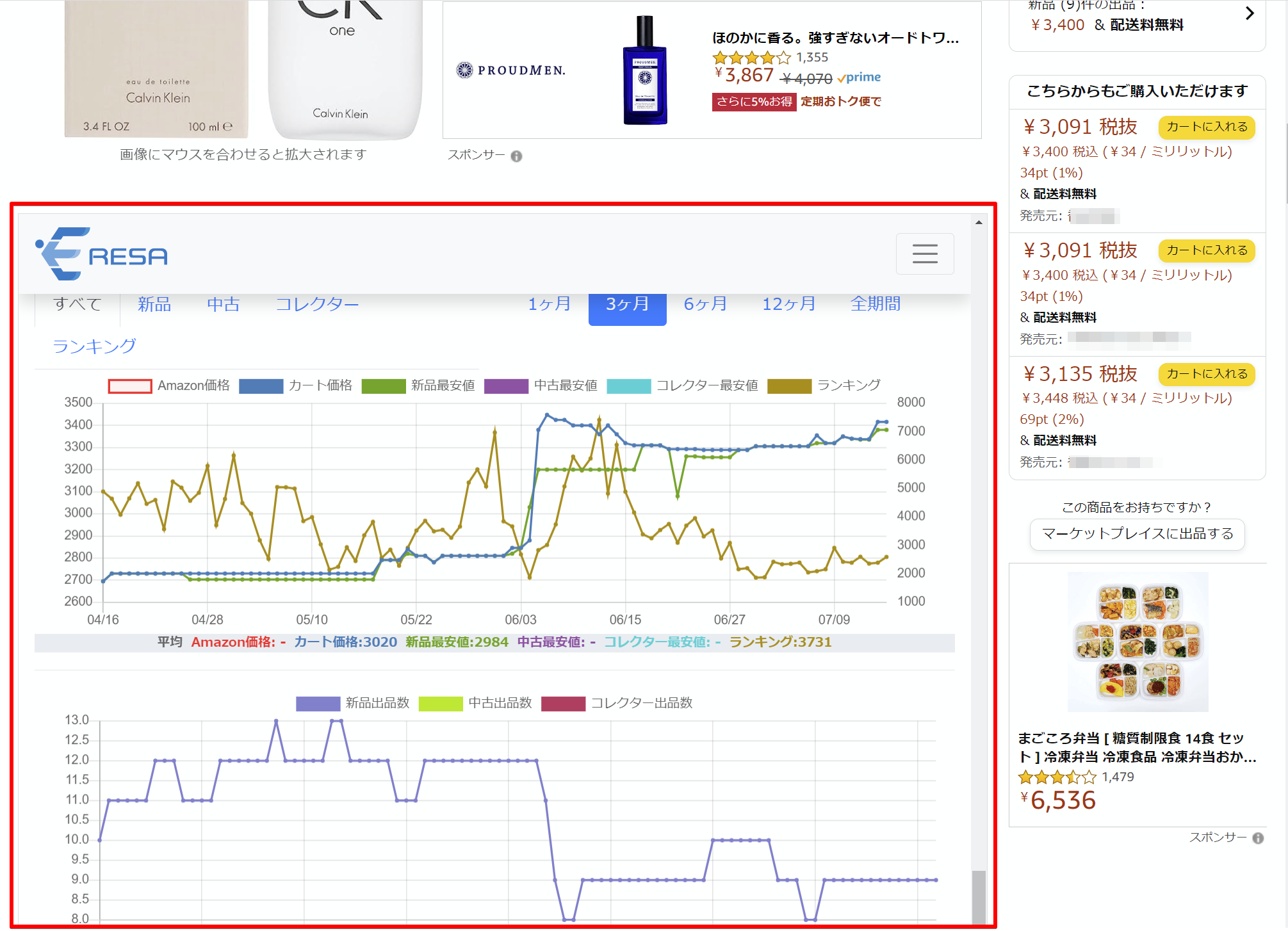
This article explains how to install and use the software.
How to Install ERESA Extensions
You must be a registered member of ERESA and logged in before using the extension. If you have not yet done so, please go to the following page.
*Other browsers (BRAVE, etc.) can also be used.
ERESA for Chrome (Extensions)
Functions on the search results screen
■Function #1: Display of Keepa mini-graph & one-click button on the search results screen
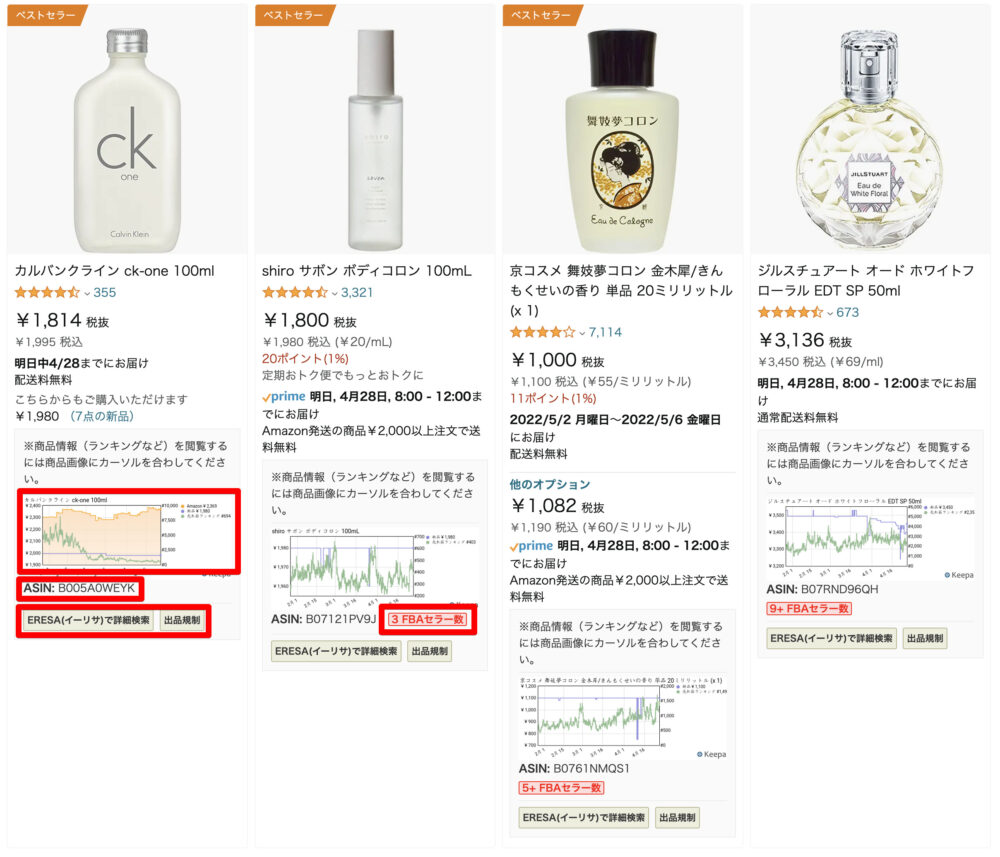
- Mini-graphs of the paid version of Keepa (originally paid graphs are available for free)
- ASIN code (can be copied with one click)
- Number of FBA sellers (click to view list of sellers)
- Buttons to access ERESA web version, etc.
Function #2: Display of product details on mouse-over of product image
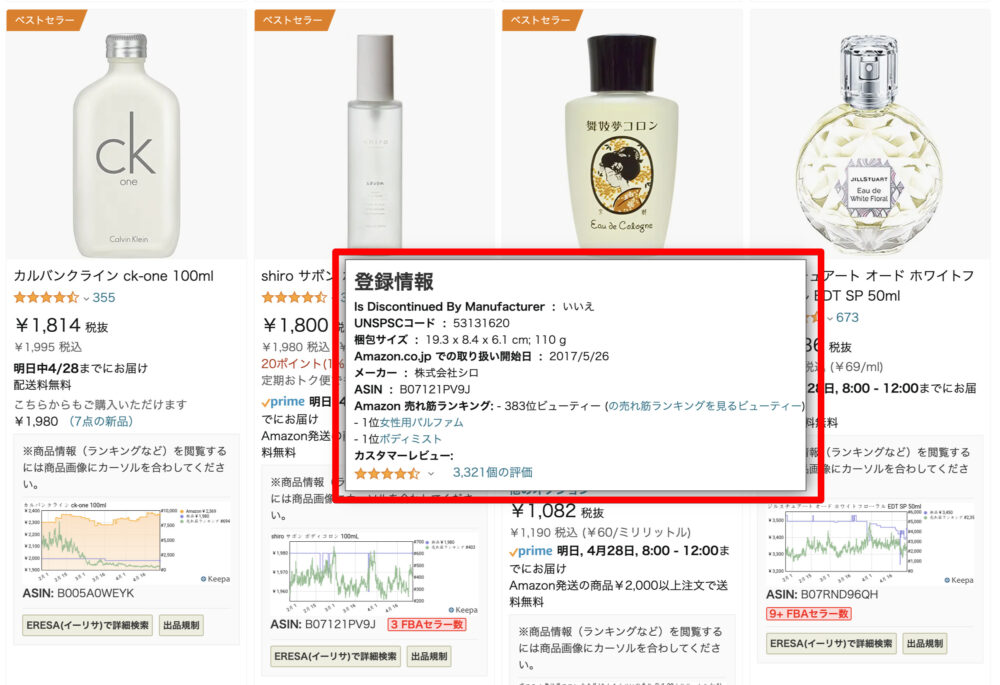
Mouse over the product image (hover the mouse pointer over the object) and detailed product information will appear in a pop-up window.
This function can be turned off from the settings.
About the function of the product detail screen
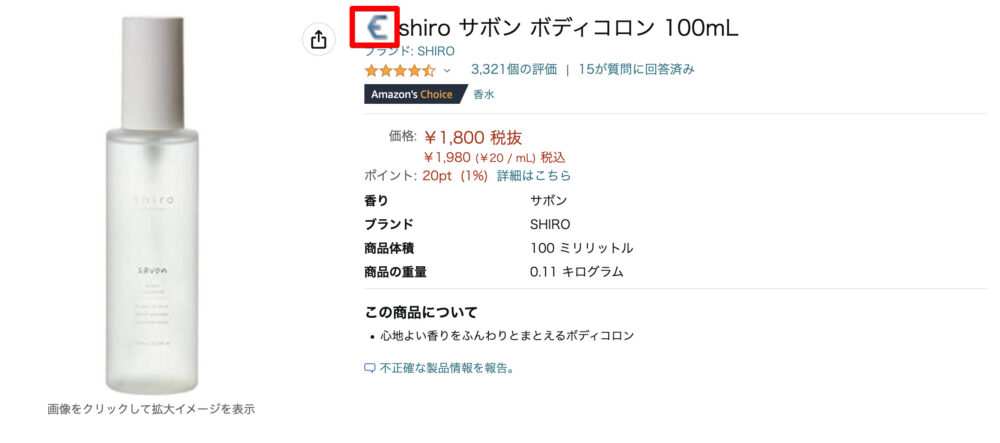
Function #1: One-click icon on the product title to go to ERESA.
■Function #2: Display of detailed ERESA information (price, ranking history charts, etc.) on Amazon.co.jp product pages
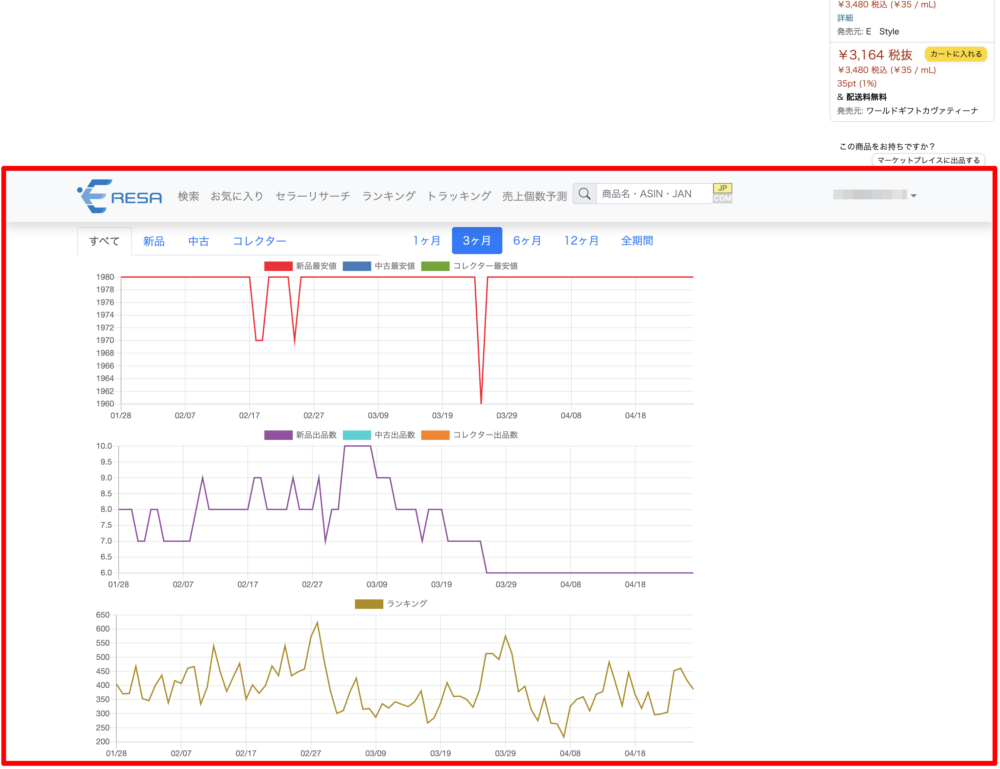
You can view the ERESA Web Edition information in real time on amazon.co.jp without accessing the ERESA Web Edition.
*Please log in to ERESA in advance to use the service.
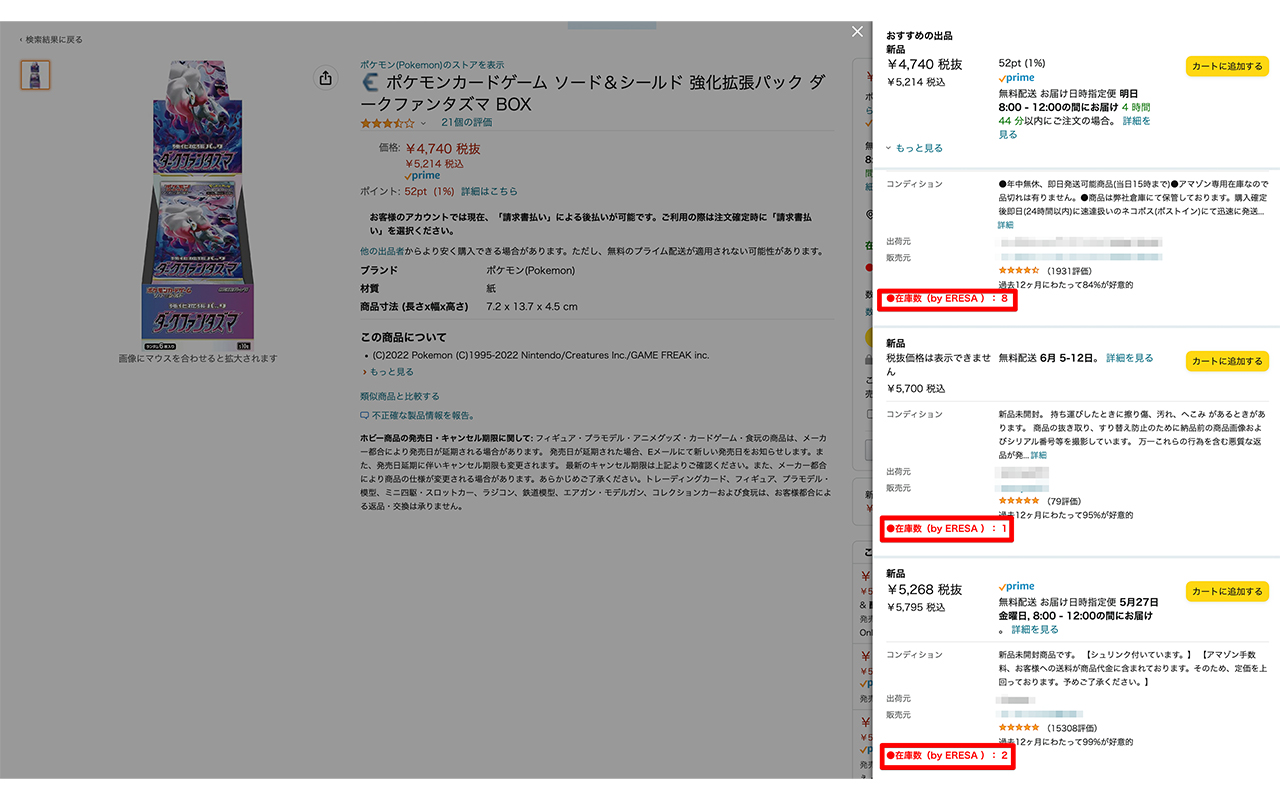
■Function No.3: Display of inventory numbers on Amazon.co.jp product pages
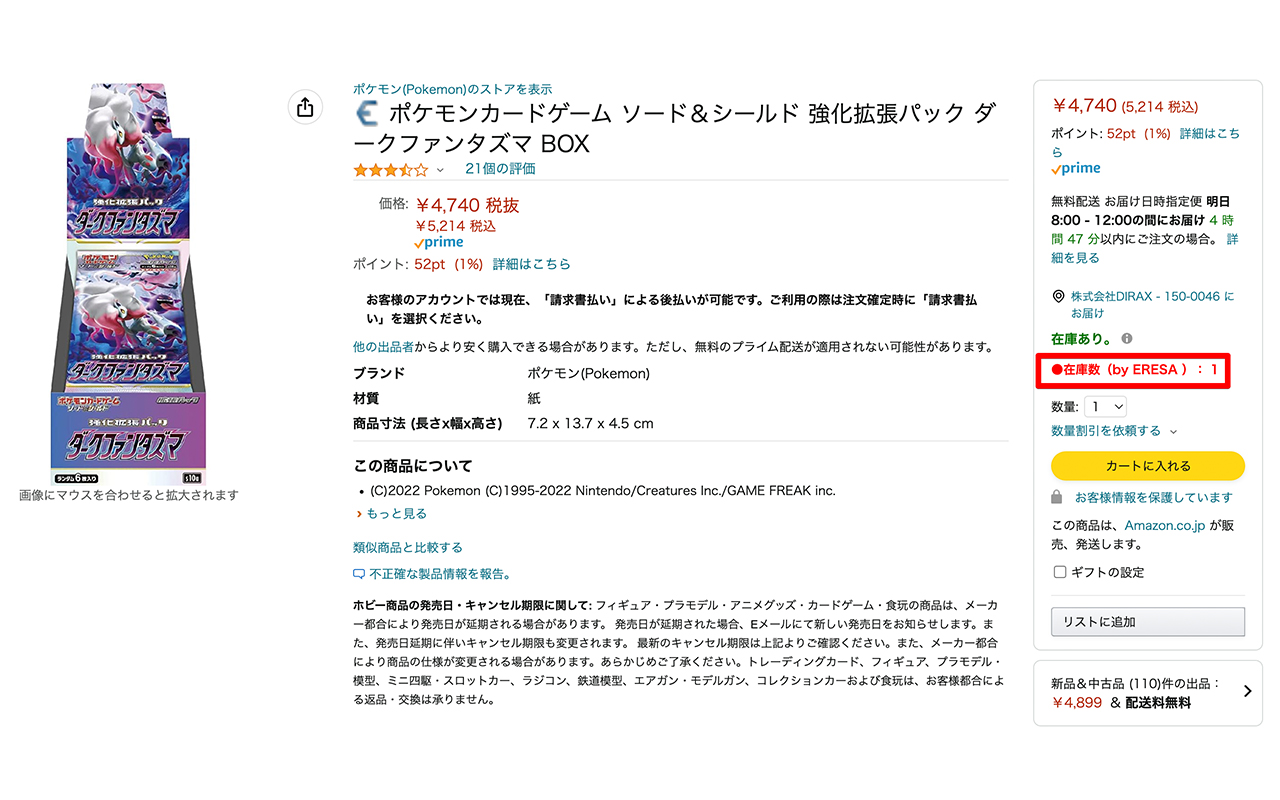
Displays inventory counts (up to 30 items supported) for cart box acquirers and other sellers.
For features common to other sites
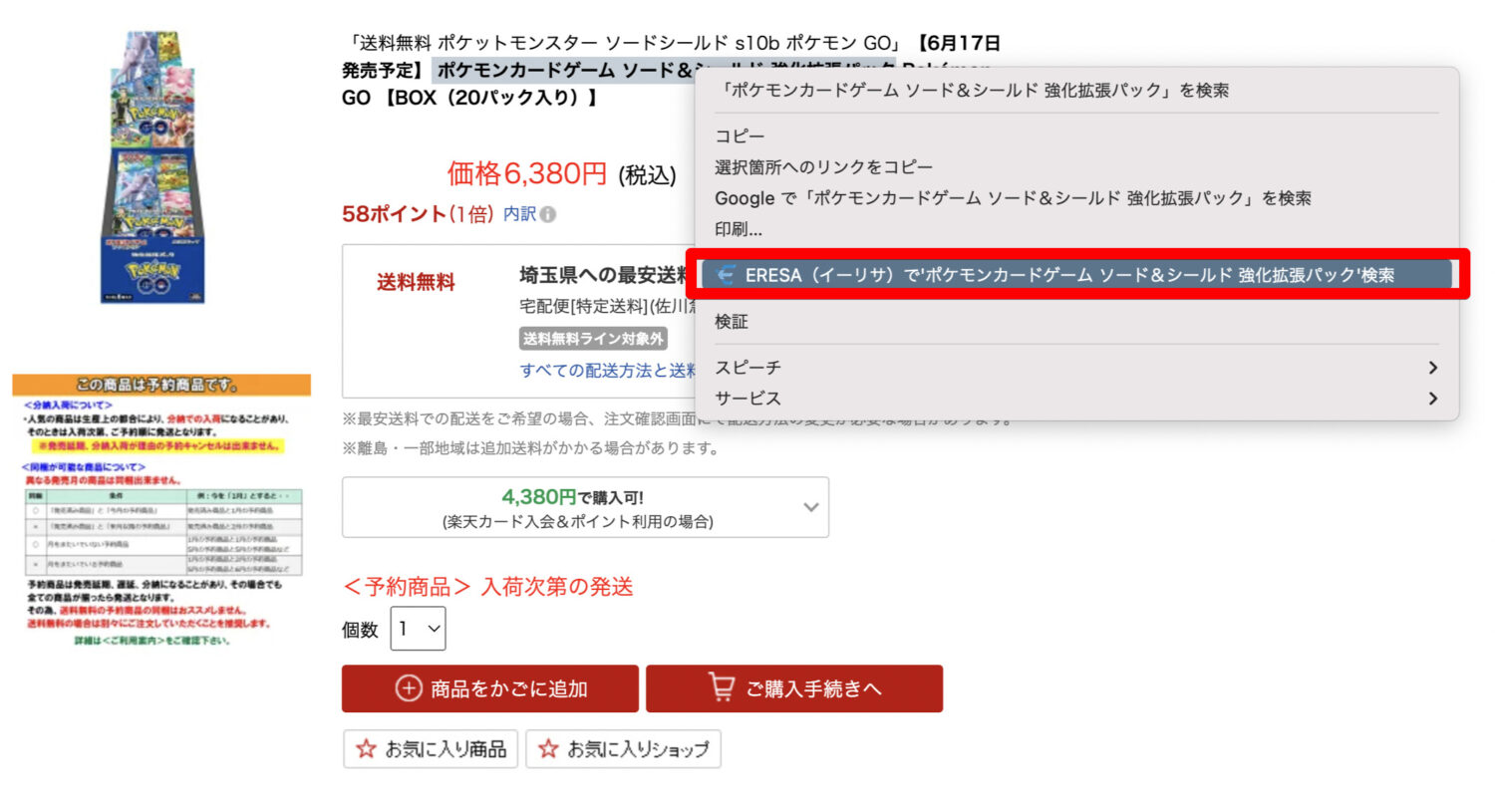
■Function #1: Select a sentence and right-click to search the ERESA web version.
Is there any way to use the ERESA extension on my phone?
Extensions (add-ons) have many very useful functions, such as streamlining research work on Amazon, but they are only available on PCs.
However, there is actually a way to use it on your smartphone! *As of May 2022, only Android devices (smartphones, tablets, etc.) will be available.
More details are explained in the following article.
Frequently Asked Questions
- The ERESA extension is no longer appearing on Amazon.
-
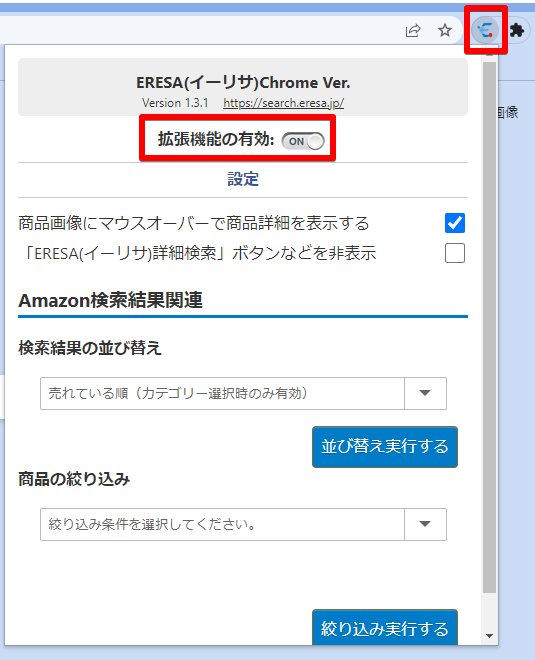
After restarting the browser, please check if the extension is enabled in the settings menu of the extension.

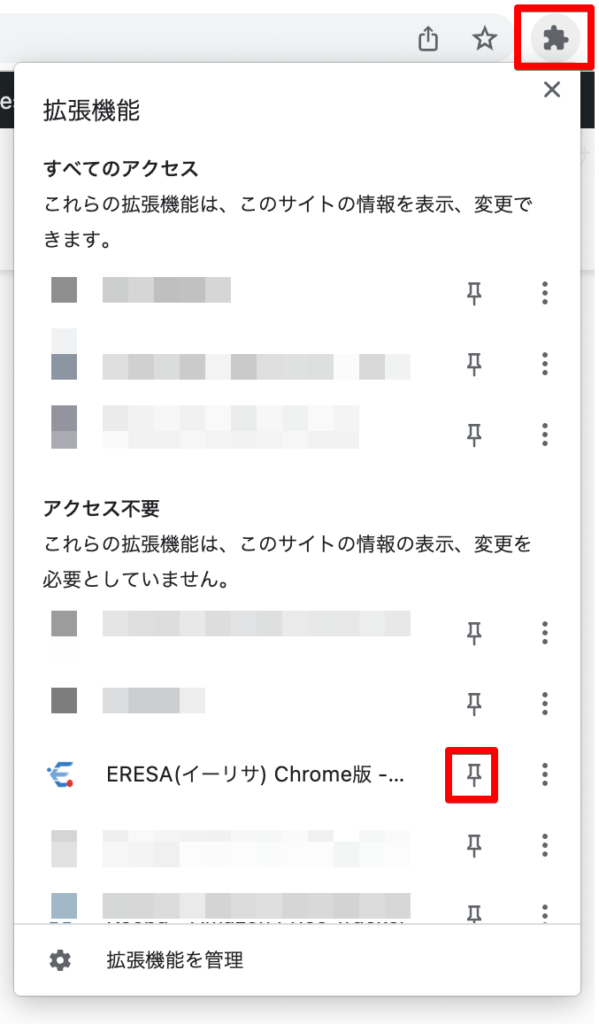
*If you do not see the icon for settings, click on the “puzzle icon ” next to the address bar, then click on the pin icon.
AIに聞いてみる
読んで気になったことを、そのままAIに聞けます
ボタンを押すと、いつものAIがこの記事を読んだうえで相談にのってくれます。あなたの状況を伝えるだけで、内容をあなたの場合に置き換えた答えが返ってきます。
ChatGPTとClaudeは、相談文が入力欄に入った状態で開きます(送信するまで始まりません)。GeminiとPerplexityは、開くとすぐに回答が始まります。環境により挙動が変わることがあります。 相談は各AIのサービス上で行われます。そこで入力した内容が、当サイトに送られることはありません。
Amazon商品のリサーチ、分析するなら…

Amazonでの売上最大化に向けてマーケット状況の分析や現状把握までの一連のプロセスが誰でも簡単に行えます!
\ 1分で完了! /